User Permissions
User permissions in TourLife can be assigned to users to manage what features they have access to when working in TourLife. Permissions allow you to control who can view, edit, or manage different aspects of your band or project.
Managing Permissions
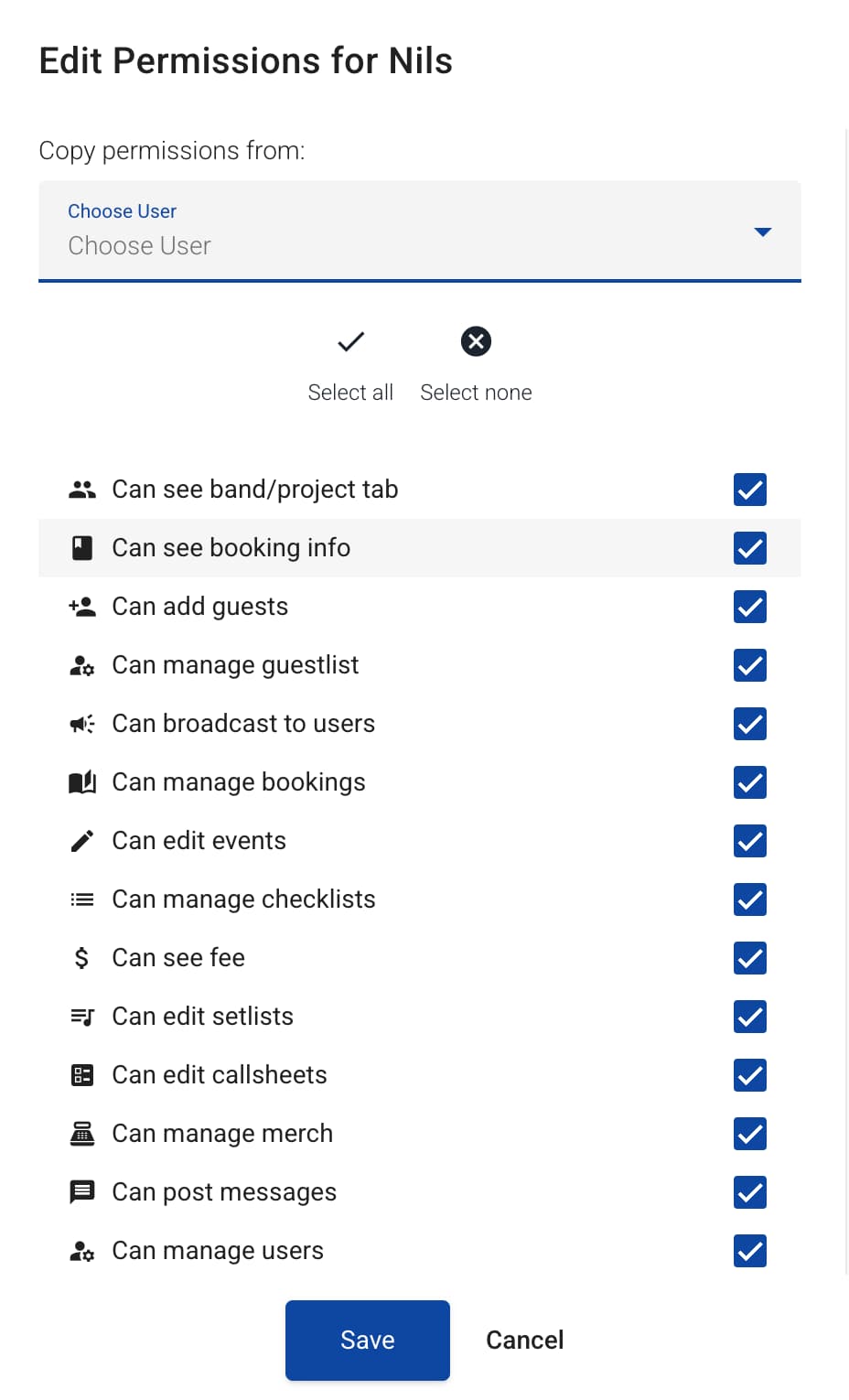
Permissions are assigned on a per-user basis within your band or project. Users with the appropriate admin rights can configure permissions for other team members to ensure everyone has the access they need, and nothing more.
Available Permissions
Below is a complete list of all available user permissions in TourLife:
| Permission | Description |
|---|---|
| Can add guests | Allows the user to add guests to the guestlist |
| Can manage guestlist | Allows the user to configure guestlist settings |
| Can broadcast to users | Allows the user to send broadcast messages directly to other users |
| Can see project tab | Allows the user to access the project information tab |
| Can see fee | Allows the user to see the fee of events |
| Can see booking info | Allows the user to view booking information |
| Can manage bookings | Allows the user to create, edit and delete bookings |
| Can edit events | Allows the user to edit event information |
| Can edit setlists | Allows the user to edit setlists |
| Can edit callsheets | Allows the user to edit callsheets |
| Can manage users | Allows the user to edit the profile of other users assigned to the project |
| Can manage admins | Allows the user to create and manage other admin users |
| Can manage merch | Allows the user to manage merchandise |
| Can post messages | Allows the user to post messages in events |
| Can manage checklists | Allows the user to add, delete, or check off finished tasks on the checklists |
| Can set attendance for other users | Allows the user to set attendance status for other users assigned to an event |
| Can see events when not assigned | Allows the user to view events even when not assigned to them |
| Can see other users' personal files | Allows the user to view personal files of other users |
| Can manage other users' personal files | Allows the user to manage personal files of other users |
| Can manage other users' calendar settings | Allows the user to manage Calendar Sync settings for other users |
| Can see other users' personal information | Allows the user to view personal information of other users |
Best Practices
- Principle of least privilege: Only grant users the permissions they need to perform their role.
- Review regularly: Periodically review user permissions to ensure they remain appropriate.
- Admin permissions: Be cautious when granting admin-related permissions, as these provide significant control over your band or project.